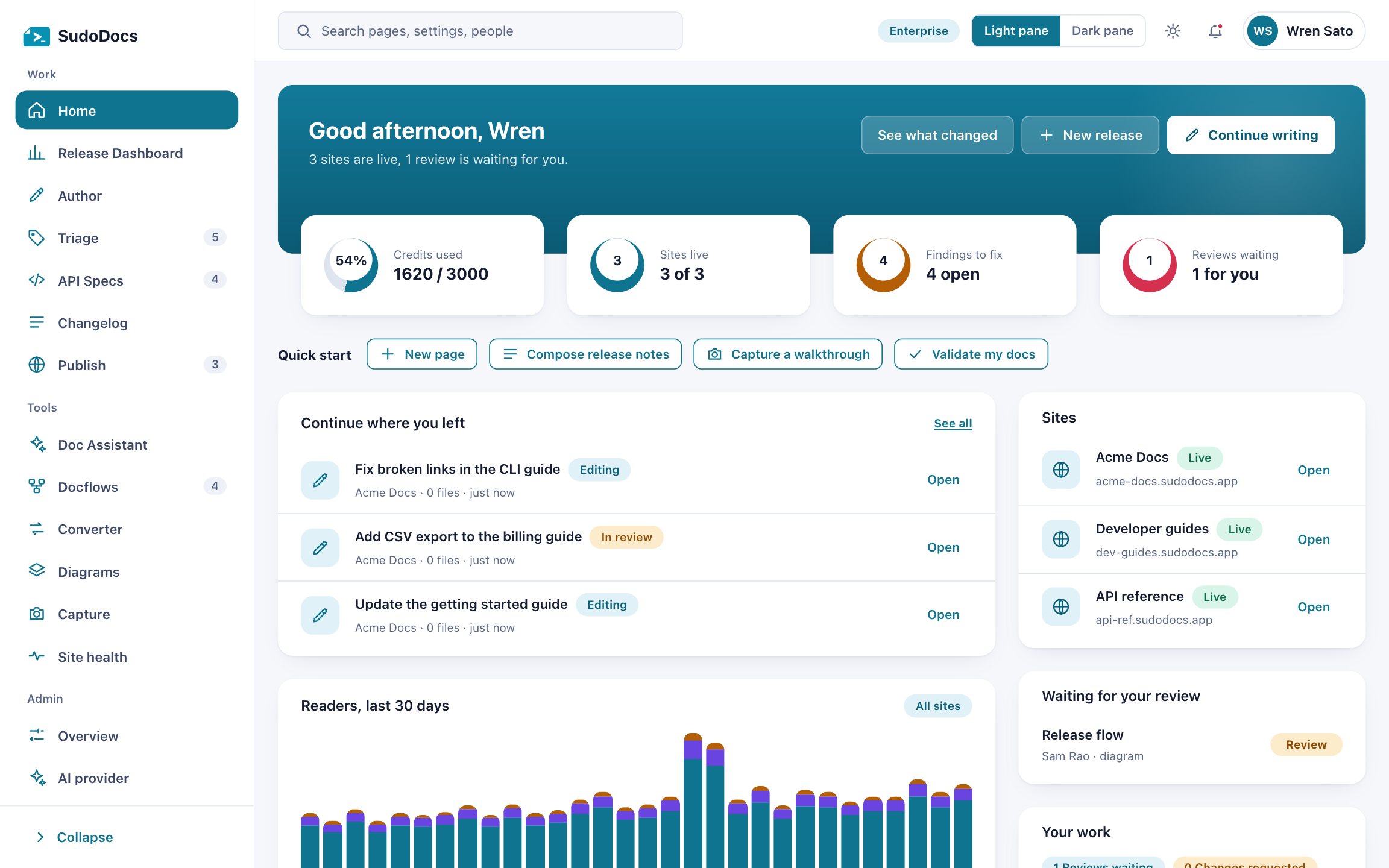
Documentation, Automated!Write, review and publish your docs in one place, from code change to live site
Start from a codebase with no docs, or keep the docs you already have current. SudoDocs drafts, checks and reviews the pages, and publishes the site from your repository.
Use both together: draft the first version from your code, then let Docflows keep it current.
The tools
Everything your docs need, in one workspace
Five tools that work on the same pages, the same reviews and the same release.
Docflows
Docs updates from every code change
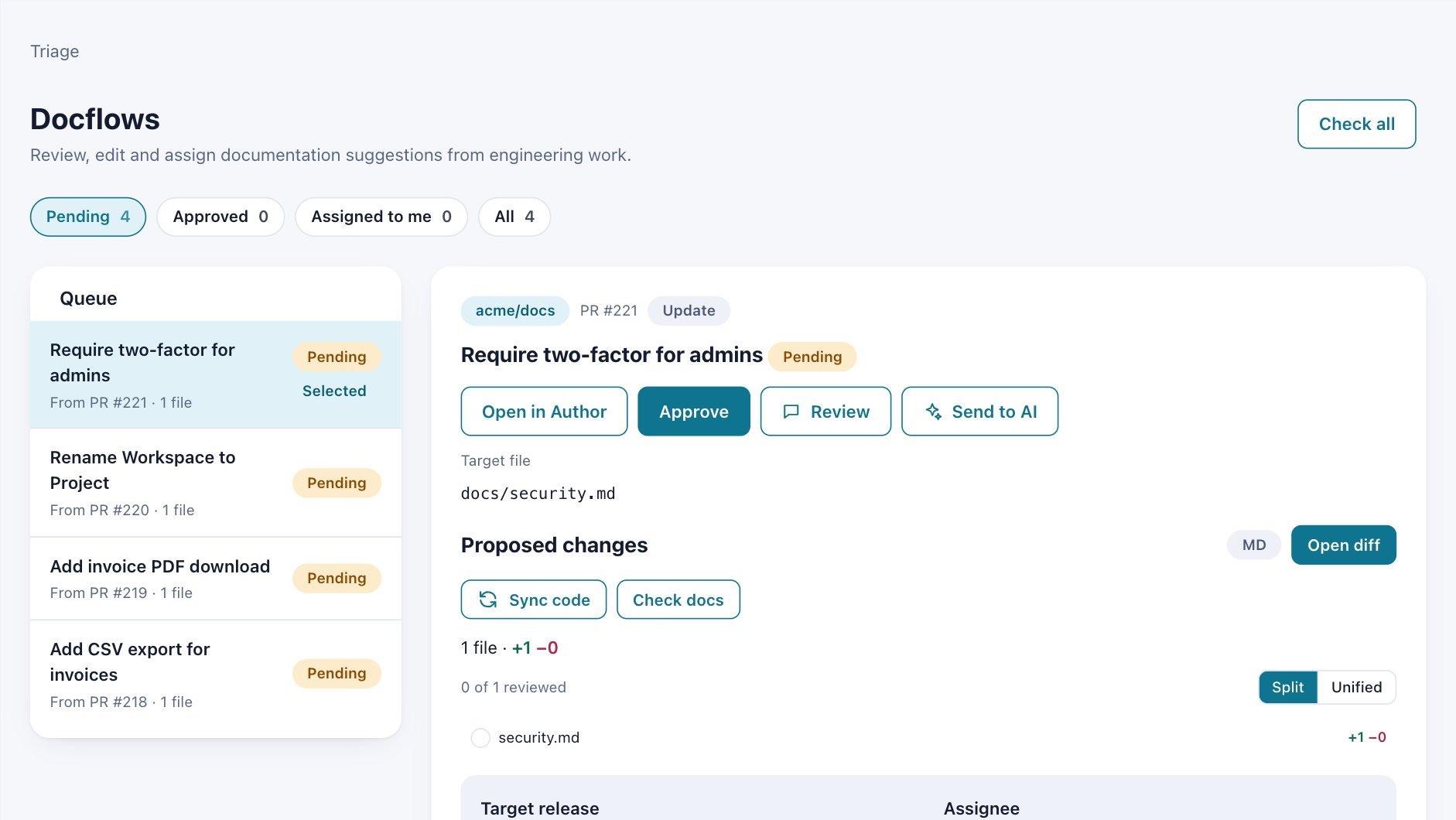
Pull requests and Jira tickets become documentation suggestions with a diff. Your writers review, comment, approve and open the page in Author mode.
Suggestions from GitHub pull requests and Jira tickets
Diff review with comments, then approve or send back to the AI
Checks your docs against the code, so they never drift
Triage release, writer and release notes for many at once
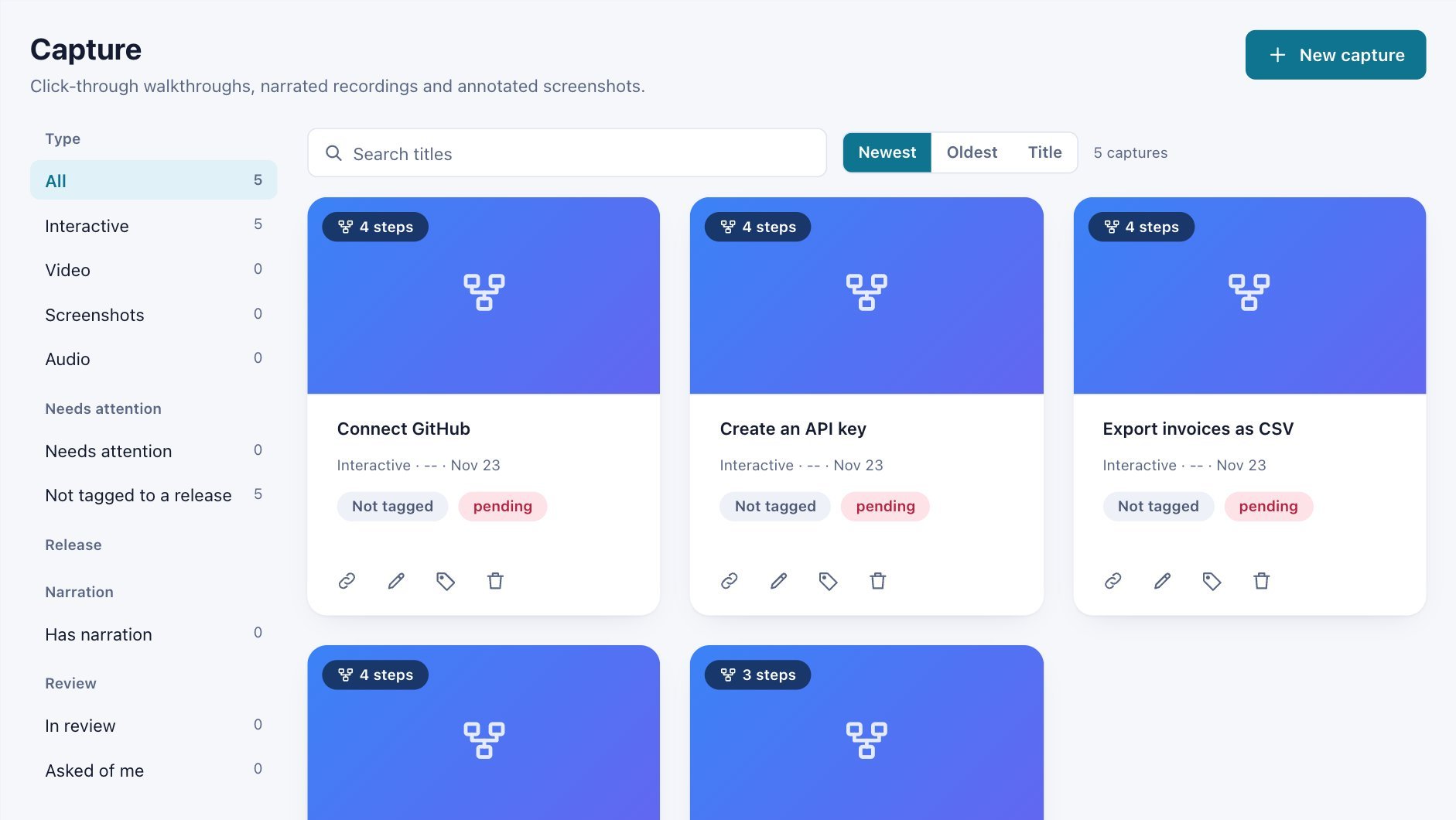
Capture
Walkthroughs and screenshots, without the editing
Record a click-through, a screen recording, a voice note or a screenshot from the Chrome extension, then polish it in the browser and embed it in your docs.
Interactive walkthroughs with hotspots and hidden personal data
Voiceover with AI, cut and trim recordings, one-click video export
Review and approve captures with your team
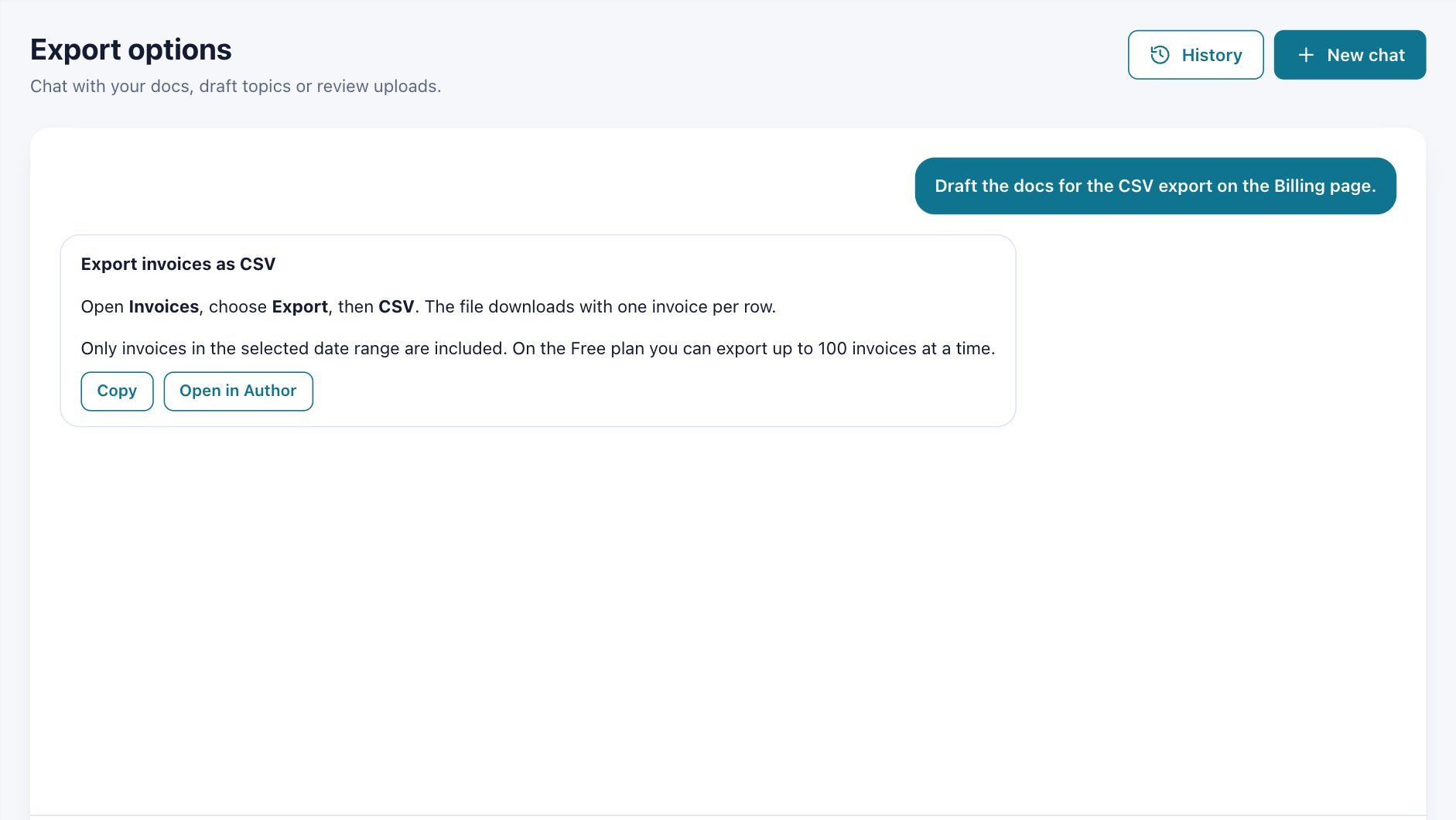
DocOps Assistant
Ask your docs, then write with them
Chat with your Knowledge Base, draft pages and release notes, rewrite in your style guide, and find the gaps in your documentation.
Answers from your own repositories and style guide
Draft, rewrite, release note and gap-analysis modes
Open any answer in Author mode in one click
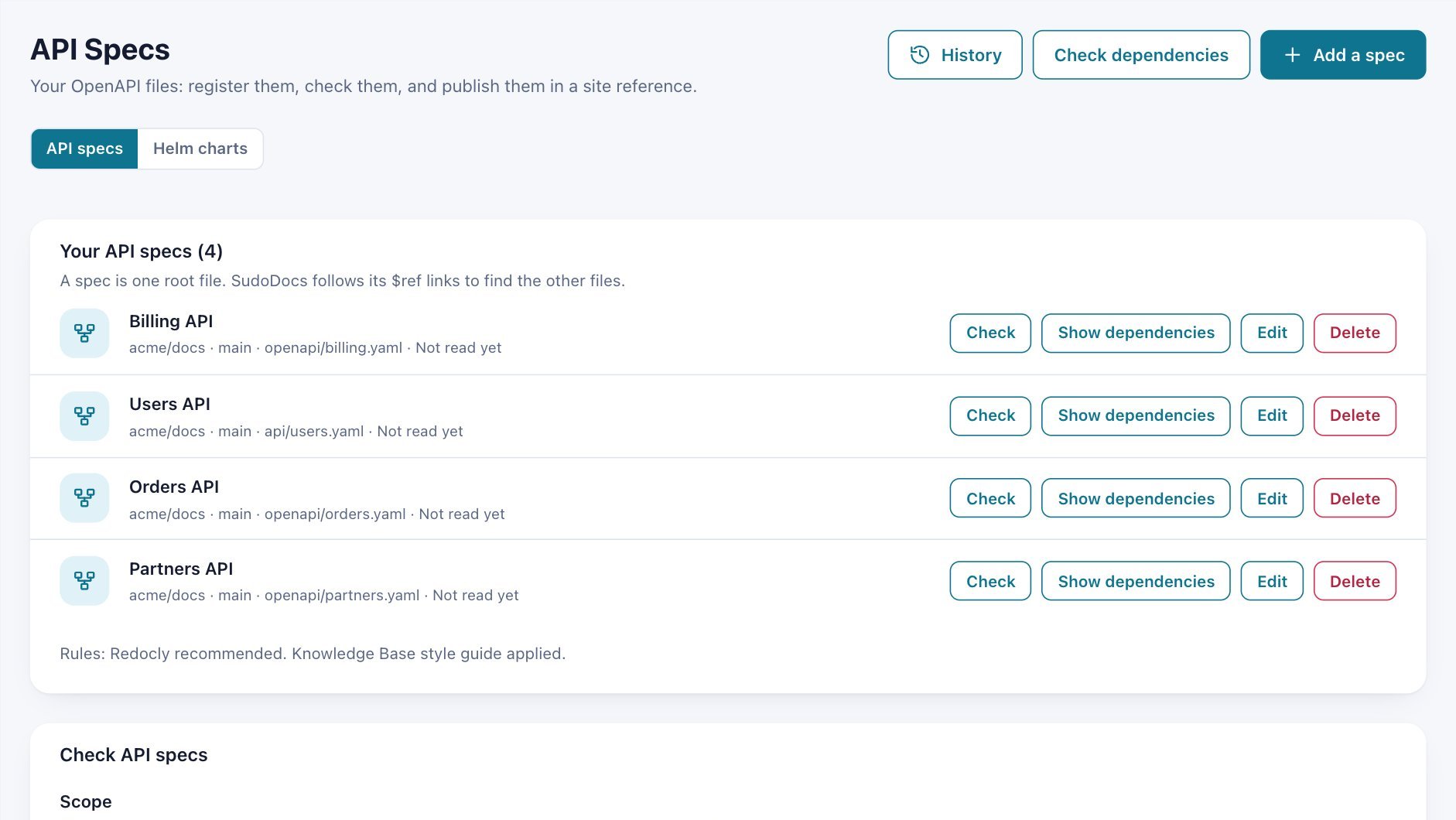
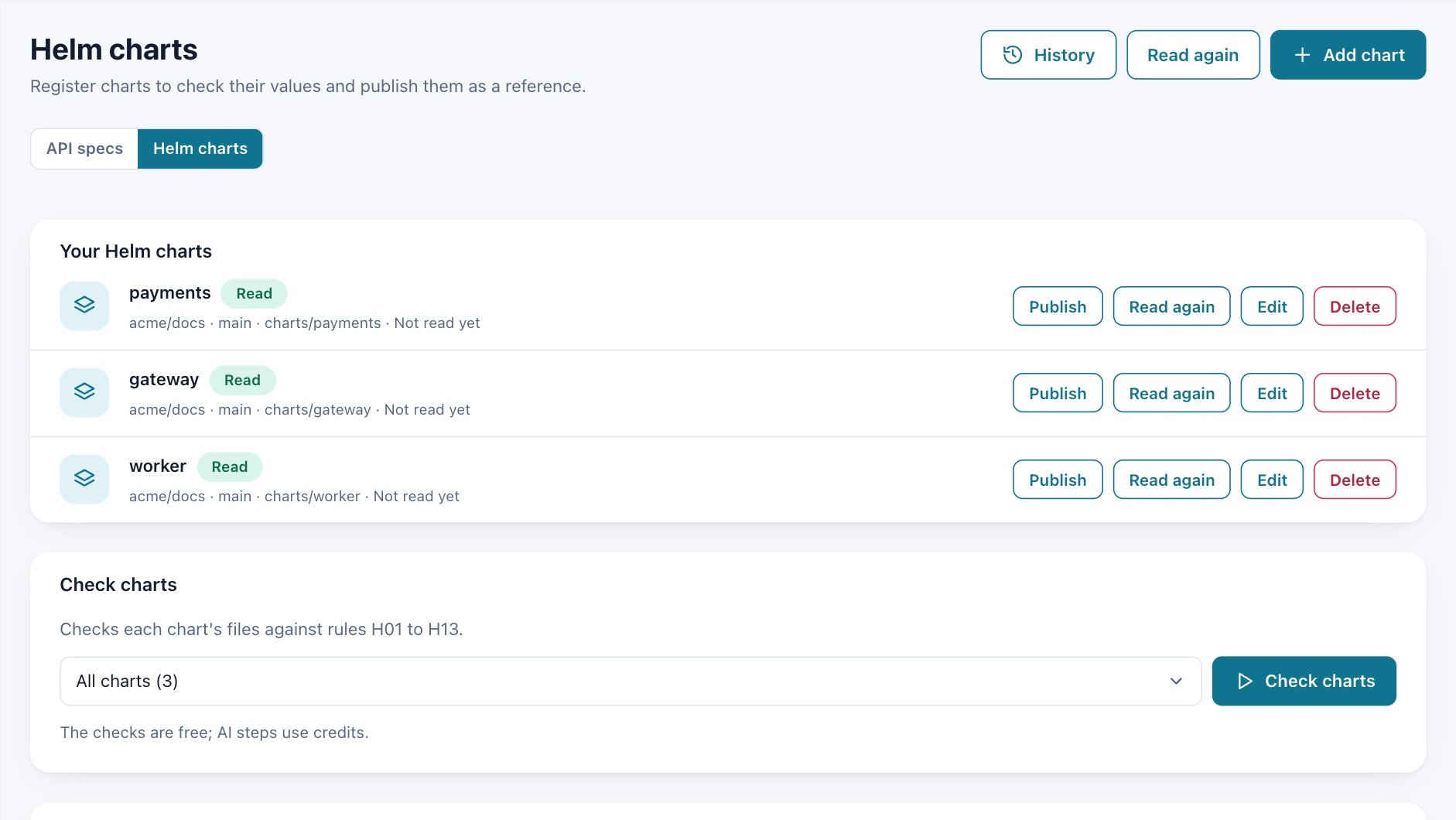
API Specs and Helm charts
OpenAPI and Helm, checked and published
Register your OpenAPI files and Helm charts, check them, fix what the checks find, and publish a reference next to your docs. One big spec or many small ones.
Lint and validate OpenAPI files, with AI fixes you approve
Helm values checked, with AI-written descriptions for undocumented values
Changes show up as incoming API changes in your release notes
Diagrams
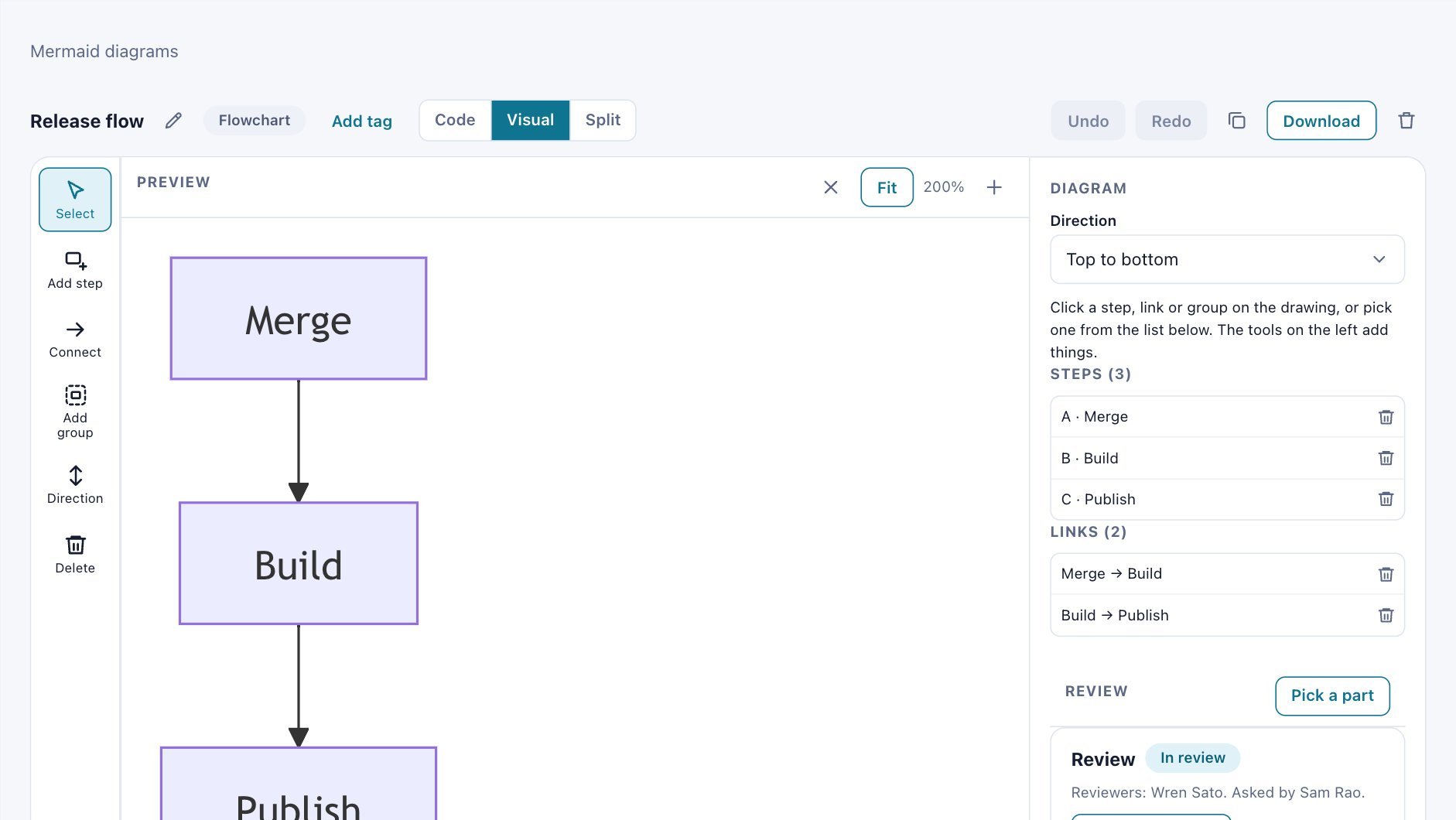
Mermaid diagrams you can edit by clicking
Describe a diagram, or draw it by clicking steps and links. The text stays the source, so diagrams live in Git with the rest of your docs.
Flowcharts, sequences, state, data model, Gantt and more
AI proposals you review before applying
Insert from the library into any page, and review with your team
Publish
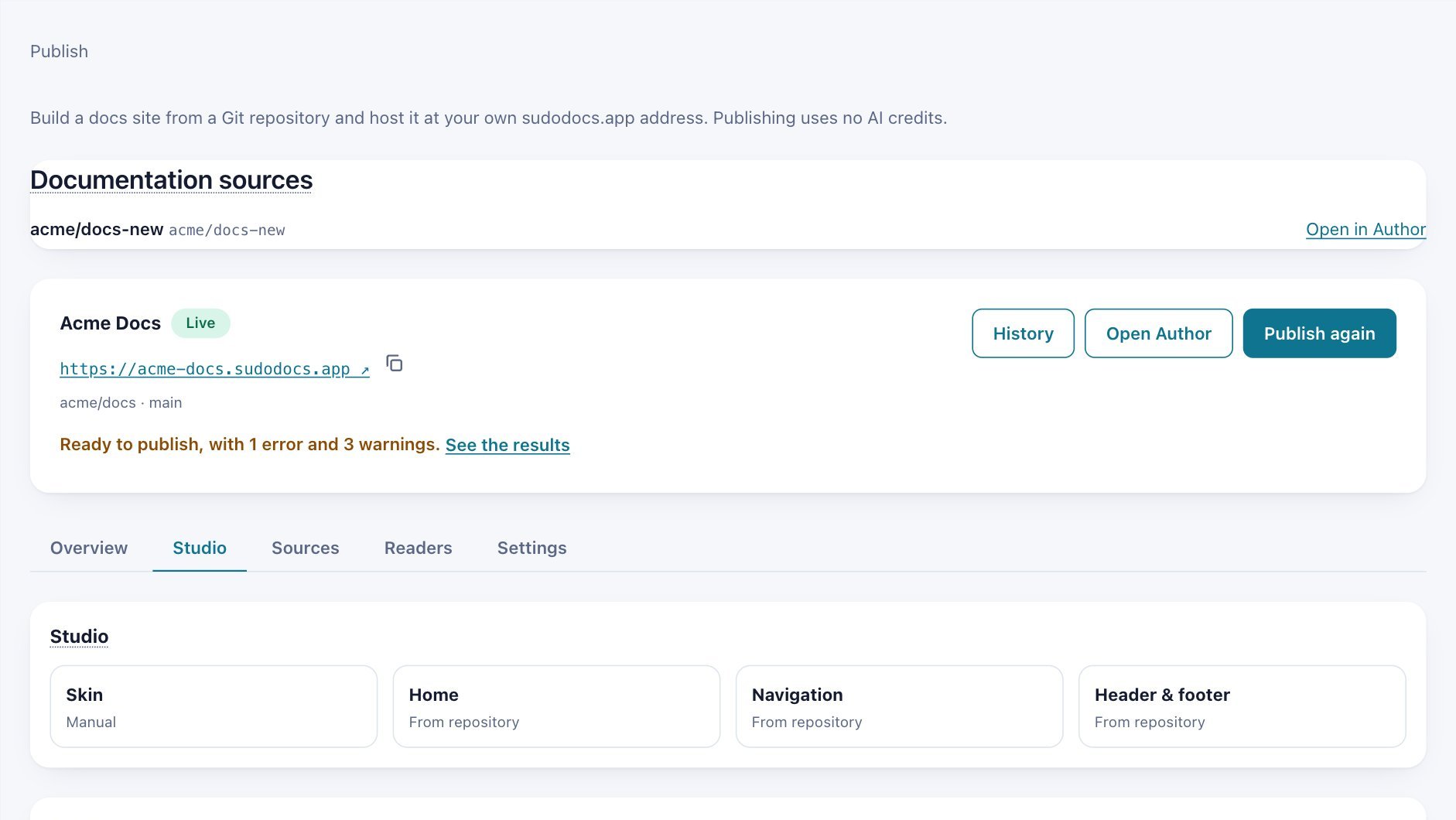
From draft to a live docs site
Keep your docs where they are. SudoDocs builds the site from your repository, keeps it current and gives your team one place to write, check and review.
Reads the docs tool you already use (Docusaurus, Mintlify, MkDocs, Sphinx, Antora, GitBook, mdBook or plain Markdown), so there is nothing to migrate
One big OpenAPI spec or many team specs, with versions and a try-it panel
Ask AI answers only from your pages, with links to its sources
Cookieless analytics that tell readers, AI agents and bots apart
llms.txt, Markdown copies and an MCP server for AI tools
Seven looks and starter templates, on your own domain
Screen Capture, Video Recording, and Interactive Walkthroughs — all built into the SudoDocs app. The Chrome extension is simply how the footage gets in, captured straight from your browser with no manual upload.
Need something tailored, managed for you, or on your own cloud? Talk to us.
FAQ
Questions about SudoDocs
What it offers, who it helps, and how to try it.
What SudoDocs offers
What is SudoDocs?
SudoDocs is one workspace to write, review and publish your documentation. It drafts docs from your code and from pull requests and tickets, lets your team edit and review them, checks your API files, records walkthroughs and diagrams, and publishes a docs site from your own Git repository.
What does SudoDocs offer?
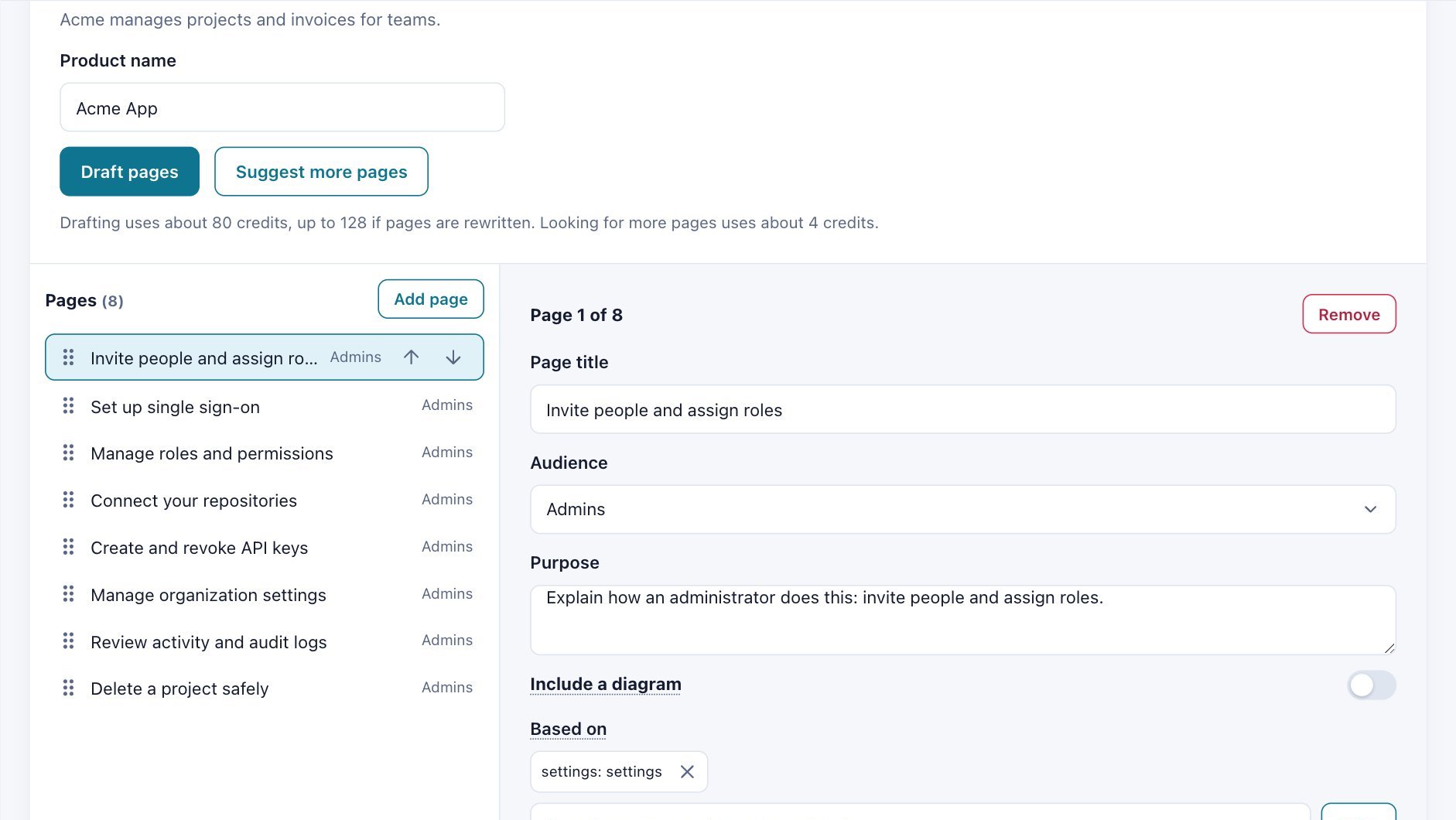
Two ways to start and five tools. Write from scratch reads a code repository and drafts a user guide, admin guide, CLI reference or API reference. Maintain your existing docs uses Docflows to turn every pull request or Jira ticket into a docs change. The tools are Docflows, Capture (walkthroughs, recordings and screenshots), the DocOps Assistant (chat with your docs and draft with them), API Specs and Helm charts (checks and a published reference), and Mermaid diagrams. Publish then builds your site, with search, versions, translations, analytics, Ask AI, llms.txt and an MCP server.
What can I publish with SudoDocs?
You can publish the documentation in your GitHub repository as a docs site at your own sudodocs.app address or custom domain, with search, versions, translations, an API reference from your OpenAPI files and Helm charts, analytics and Ask AI. It reads Docusaurus, Mintlify, MkDocs, Sphinx, Antora, GitBook and mdBook projects, and plain Markdown folders, so there is nothing to migrate.
Which tools and formats does it work with?
SudoDocs connects to GitHub, Jira and Slack, reads OpenAPI files and Helm charts, and works with Markdown, MDX, reStructuredText and AsciiDoc. Your docs stay in your repository, and every change reaches them through a pull request.
Does AI write my docs without anyone checking?
No. AI drafts, SudoDocs checks every draft against your code and your style guide, and your team reviews it. Nothing changes in your repository until a person approves a pull request. Teams that need it can use their own AI provider key.
Can I keep my docs private?
Yes. You can protect a whole site or chosen folders with a password and give AI tools an access key. You can also use single sign-on (OpenID Connect or SAML) or your own login page, and restrict folders to groups. Reviewers from outside your company can be invited by email, limited to the domains you approve.
How are AI credits calculated?
Each AI action has a credit cost, and SudoDocs shows the cost before it runs. A Chat with Docs question costs 2 credits (3 with an attached image), an AI-written draft in chat costs 5, a batch of release notes costs 10, and a full feature draft or an automated doc pull request suggestion costs 20. A reference doc or an OpenAPI AI fix is priced by the size of the spec: 5 credits per 25,000 characters for a reference doc and per 15,000 characters for an AI fix (at least 5).
Who it helps
How can SudoDocs help a startup?
A startup usually has code, no documentation and no technical writer. Start from code reads your repository and drafts a first set of public docs for you to review, and Docflows keeps them current as you ship, so documentation does not fall behind the product. Publish puts the docs on a sudodocs.app address, with search, an API reference and Ask AI, without a docs platform to set up. The Beta Preview is free.
How can SudoDocs help an individual?
A solo developer or technical writer gets the whole workflow in one place: draft from code or a ticket, edit with a live preview, record a walkthrough or a screenshot, draw a diagram, and publish a site from a Git repository. You stay in control of every change, and AI only suggests.
How can SudoDocs help a larger organization?
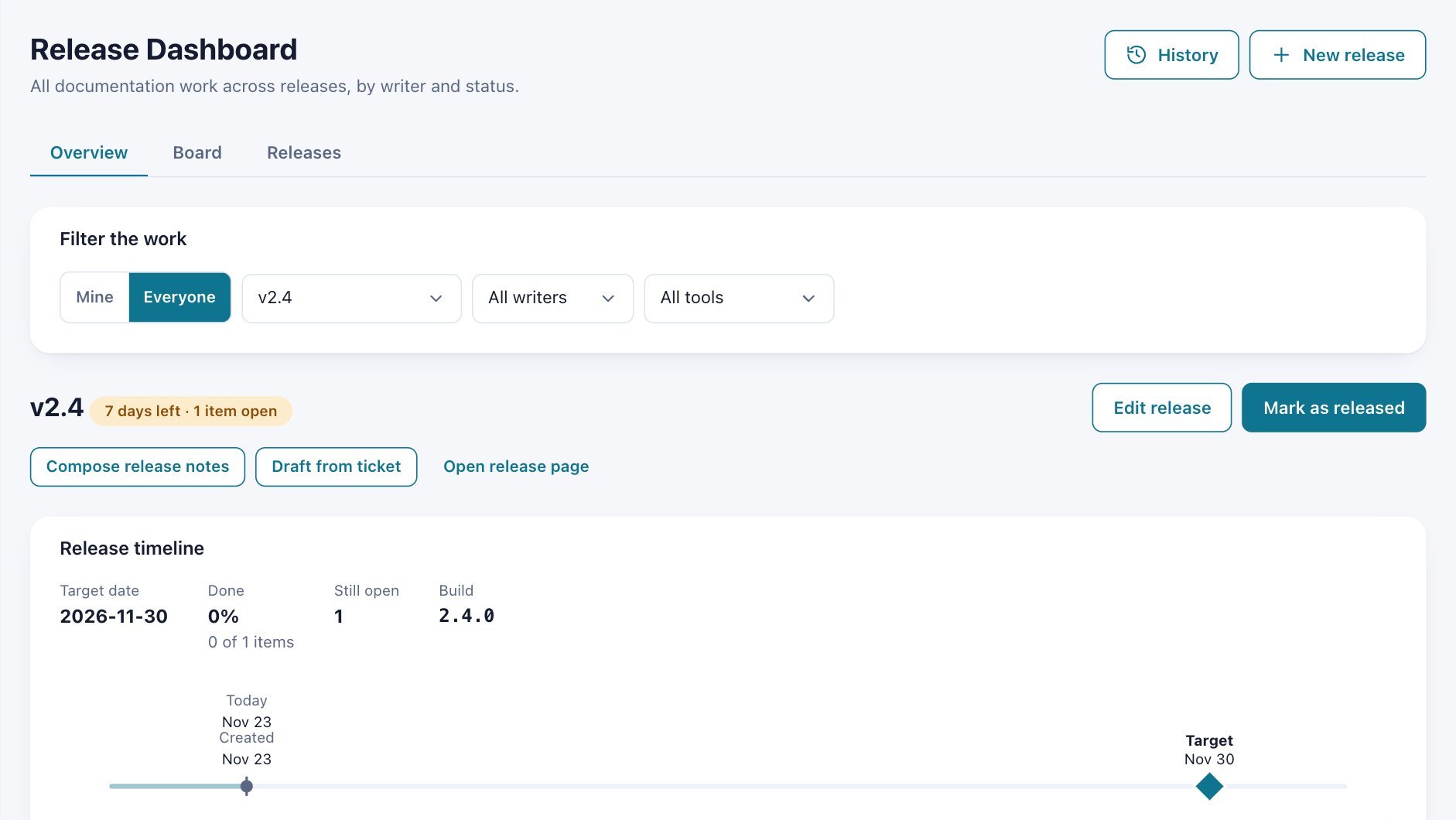
Teams get roles for admins, writers and reviewers, reviews with comments and approvals (including outside reviewers), release notes and a release dashboard, and API checks that work across many repositories and many specs. Organizations that need more control can add single sign-on and SCIM provisioning, private docs behind their identity provider, and their own AI key. We also take on custom engagements.
Can SudoDocs be tailored, managed for us, or run on our own cloud?
Yes, as a custom engagement. We can manage your documentation for you, switch off or tailor features, or set up SudoDocs on a separate cloud instance for your organization. Email admin@sudodocs.com with what you need and we will scope it with you.
Pricing and trial
How much does SudoDocs cost?
SudoDocs is in a free Beta Preview with no credit card required. The paid Pro and Enterprise plans are coming soon and are not on sale yet.
Is there a free way to try the publishing side?
Yes. The Beta Preview includes a docs site on a sudodocs.app address, and the docs health check at app.sudodocs.com/health reads any public docs site for free, with no sign-up.
Can I buy more users or credits?
Seats and credit packs belong to the paid plans, which are coming soon. They are not on sale during the Beta Preview.
Is there a subscription to cancel?
There is nothing to cancel during the Beta Preview, because no paid plan is on sale. You can stop using SudoDocs at any time.
Contact
Need a custom plan? Have questions about security or on-premise deployment? Let us know.
Ready to stop writing docs by hand?
Try the free Beta Preview. No credit card required.
 Google for Startups